
Welcome to the Students App
The YeboLearn Students App is your personal academic companion designed to help you stay organized, track your progress, and excel in your studies.
Overview
The Students App provides a centralized platform where you can:
- View your grades and track academic performance
- Check attendance records and maintain good standing
- Access your schedule and never miss a class
- Study flashcards your teachers set for you
- Work through courses module by module
- Message your teachers and school
- Check your school fees and what's still owed
- Use AI Tutor for personalized learning assistance
- Earn XP and badges for your achievements
- Receive notifications about important updates
Getting Started
Accessing the App
- Open your web browser
- Navigate to your school's YeboLearn portal
- Click on "Students App" or go directly to the student dashboard URL provided by your school
First-Time Login
If you're logging in for the first time:
- If your school sent you an invite link, open it and set your own password
- Otherwise, sign in with the email and password your school gave you
- You can change your password any time from Profile
Navigation
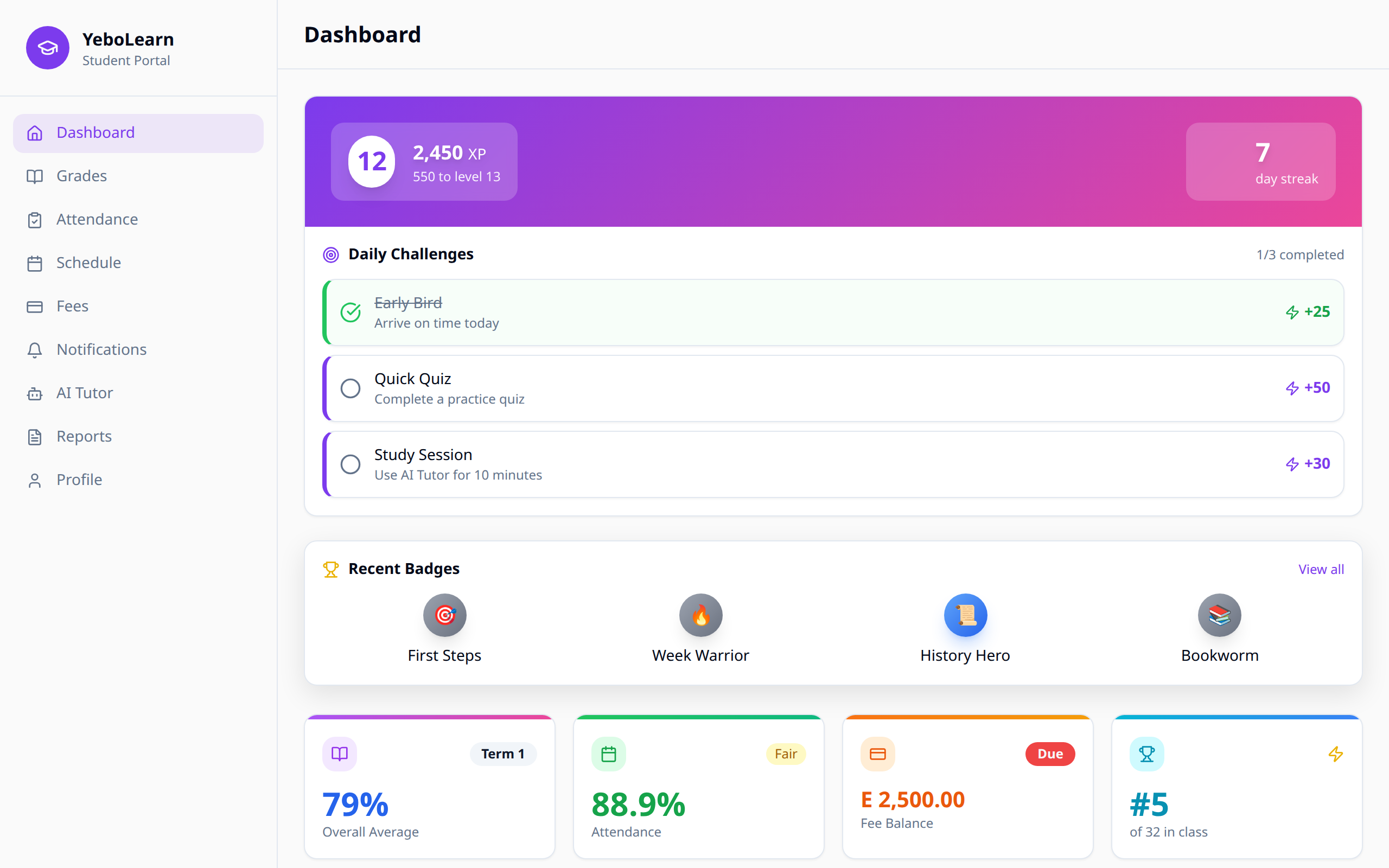
The Students App features an intuitive sidebar navigation that gives you quick access to all features:
| Menu Item | Description |
|---|---|
| Dashboard | Overview of your academic status |
| Grades | View all your grades and performance |
| Attendance | Check your attendance records |
| Schedule | View your class timetable |
| Flashcards | Study the card decks your teachers set |
| Courses | Work through interactive course modules |
| Messages | Read and send messages |
| Fees | See your fees and balance |
| Notifications | View important updates |
| AI Tutor | Get AI-powered learning assistance |
| Report Cards | Download your term report cards |
| AI Reports | Daily, weekly and monthly progress summaries |
| Profile | View your details and change your password |
| Settings | Choose what you get notified about |
| Achievements | Your XP, badges and class leaderboard |
On a phone, a bar at the bottom of the screen gives you Home, Grades, Study, Schedule and Profile. Everything else is in the sidebar on a bigger screen.
:::note Achievements only appears if your school has turned on XP and badges. If you don't see it, your school has switched that off. :::
System Requirements
For the best experience, ensure you're using:
- A modern web browser (Chrome, Firefox, Safari, or Edge)
- Stable internet connection
- Updated browser version
Need Help?
If you encounter any issues:
- Contact your class teacher
- Reach out to your school's IT support
- Ask your school administrator for assistance