
AI Tutor
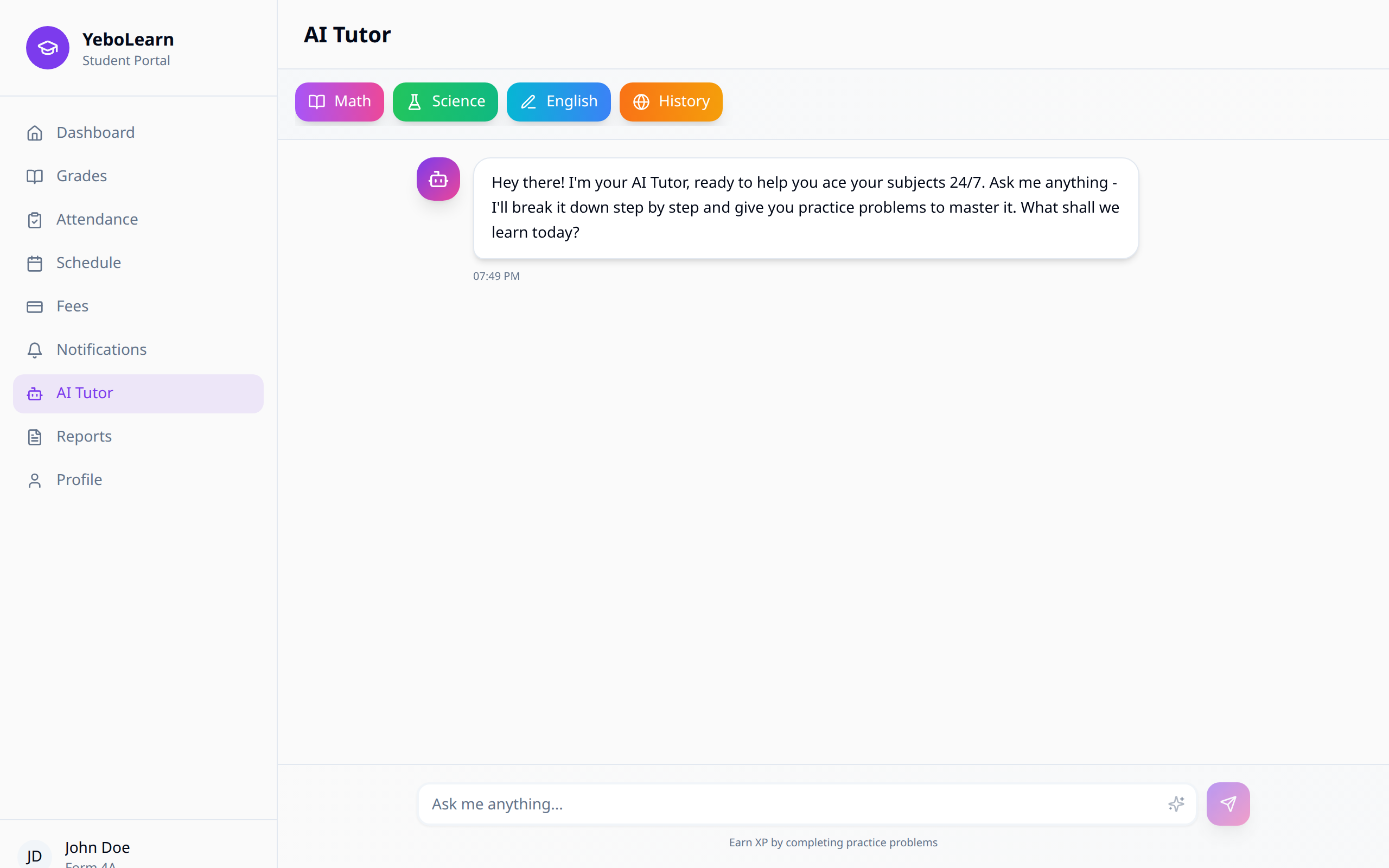
The AI Tutor is your intelligent learning companion that provides personalized assistance, answers questions, and helps you understand difficult concepts.
Accessing AI Tutor
- Click "AI Tutor" in the sidebar navigation
- The AI Tutor chat interface will open
Overview
The AI Tutor can help you with:
- Explaining concepts - Break down complex topics
- Answering questions - Get immediate help
- Practice problems - Work through exercises
- Study guidance - Tips for effective learning
- Homework help - Understand assignments better
Starting a Conversation
Pick a Subject First
At the top of the page there's a Subject picker. It lists your own subjects first, so choose the one you're asking about. Your class is shown on the right so the tutor answers at the right level.
You have to pick a subject before you can send anything — if you forget, you'll see "Pick a subject first".
How to Chat
- Type your question in the box at the bottom
- Press Enter or click the send arrow
- Wait a moment for the answer
- Keep asking follow-up questions
Questions need to be at least 10 characters. If yours is shorter you'll see "Question too short" — add a bit more detail.
Quick Buttons
Under the subject picker are four coloured buttons — Math, Science, English and History. Tap one and it asks a ready-made question for you straight away, which is a fast way to get started.
Example Questions
- "Can you explain photosynthesis?"
- "Help me solve this equation: 2x + 5 = 15"
- "What were the causes of World War I?"
- "How do I write a persuasive essay?"
- "Explain the difference between mitosis and meiosis"
Effective Usage Tips
Ask Clear Questions
Good questions:
- "Explain the Pythagorean theorem with an example"
- "What are the main characters in Romeo and Juliet?"
- "Help me understand how electricity flows in a circuit"
Less effective:
- "Help me with math" (too vague)
- "Everything about science" (too broad)
Follow-Up Questions
Build on previous answers:
- "Can you give me another example?"
- "I don't understand this part, can you explain more?"
- "How is this related to [other topic]?"
Request Different Explanations
If you don't understand:
- "Can you explain that more simply?"
- "Can you use a real-world example?"
- "Can you show me step by step?"
Best Practices
- Be specific - Clear questions get better answers
- One topic at a time - Focus on one concept per question
- Ask follow-ups - Dig deeper until you understand
- Practice actively - Try problems, don't just read
- Review later - Revisit difficult topics
Limitations
The AI Tutor:
- May not have the most current information
- Cannot access your specific textbooks directly
- Should supplement, not replace, your teachers
- Works best with focused, specific questions
Your chat isn't saved. If you close the page or reload it, the conversation starts fresh — so copy anything you want to keep.
TIP
Use the AI Tutor for understanding concepts, but always verify important information with your teachers and textbooks. The page says it too: AI answers can be wrong.
Troubleshooting
Slow Responses
- Check your internet connection
- Refresh the page
- Try again in a few moments
"Sorry — I couldn't get an answer just now"
- Your question didn't get through. Check your connection and send it again.
- If it keeps happening, tell your teacher or school admin.
Unclear Answers
- Ask for clarification
- Rephrase your question
- Break down complex questions into smaller parts